 DevTm
DevTmA local-first AI work system for real projects
Bring AI intoyour project.
Give DevTm a real goal. It understands project context, organizes available capabilities for the task, works within your permissions, and delivers a result you can keep using.
Review changes, complete release notes, and generate deliverables.
I’ll review the project, update the relevant files, run checks, and organize the results.
Start with a goal
Say what you want finished.
These are examples of work goals, not a fixed feature list. DevTm prepares a suitable path from project context, environment, and permissions.
Understand
“Help me understand this project's structure, entry points, and main flows.”
How it works
The task is not a fixed script.The workflow adapts to the situation.
Connect project
Bring code, documents, files, and history into one workspace.
Project memory
The next taskdoes not start from zero.
DevTm keeps project structure, relationships, changes, and completed work available as usable context. It does not mix everything together. Memory stays relevant and controlled around the current project and task.
Adaptive capabilities
Capabilities can expand;experts are collaborators in the task.
Project context, models, and tools form the foundation. Skills, plugins, experts, MCP, and local capabilities become available according to the project, goal, and permissions. DevTm discovers, combines, and calls them while keeping each result visible to you.
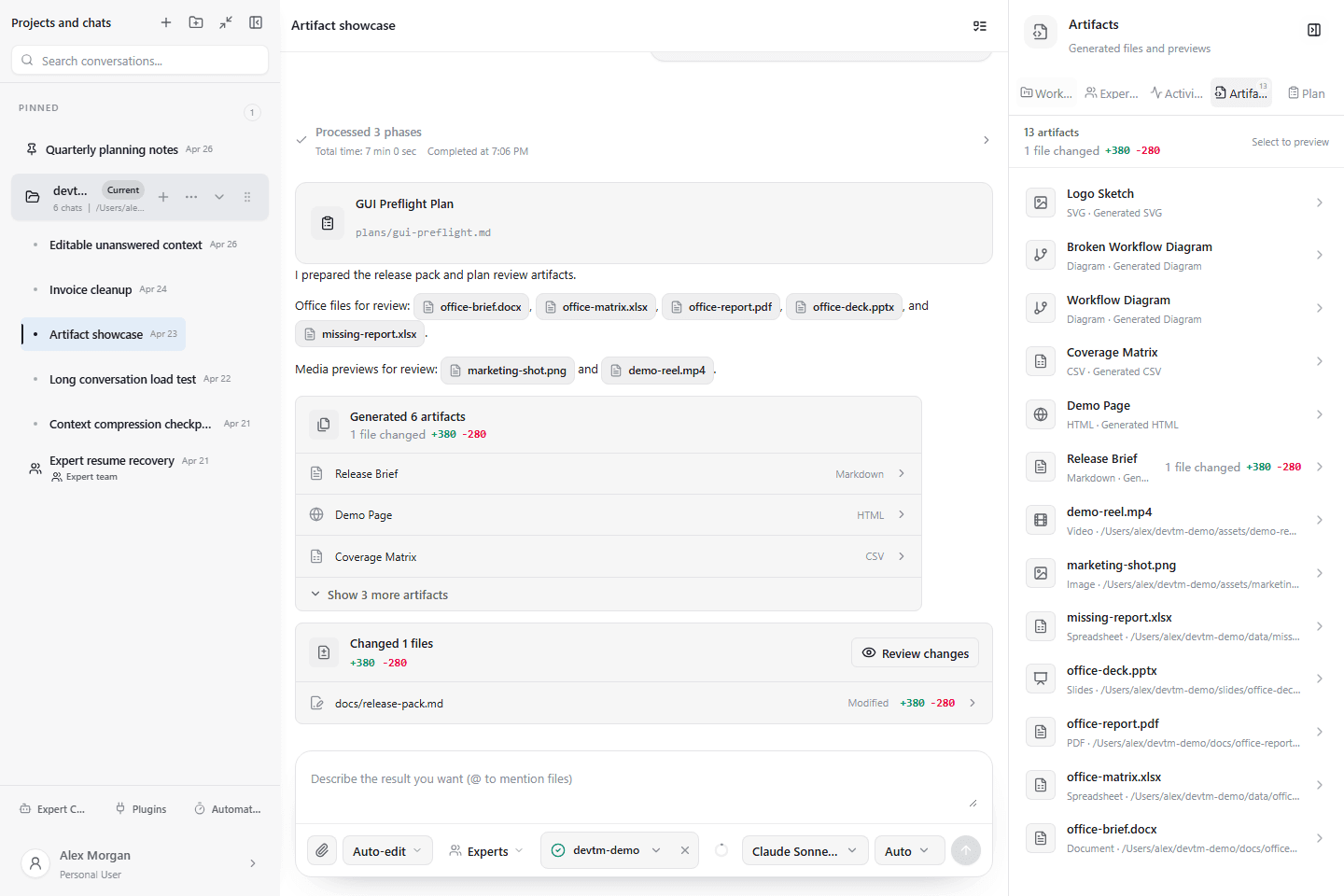
Reusable results
Results do not stay in the chat.
DevTm can turn work into code changes, documents, spreadsheets, decks, PDFs, analysis, and attachments. Each result can be previewed, downloaded, opened, and edited further.
Controlled boundaries
Powerful capabilities.Your boundaries.
The website handles product information, downloads, registration, and account recovery. The work happens in the Windows app.
Start with one real project